



We're excited to announce the release of EnVision v2.1.01, packed with new features ✨, interface improvements 🎨, and important bug fixes 🐛 that will streamline your drill design workflow. This update focuses on improving productivity through better keyboard shortcuts ⌨️, enhanced file management 📁, and refined tools 🔧 that make creating and editing your productions more intuitive than ever.
✨ New Features That Boost Productivity
⌨️ Powerful Keyboard Shortcuts
Keyboard shortcuts have always been a cornerstone of efficient workflow, and v2.1.01 introduces several new shortcuts that will save you time ⏱️. The new Shift+F shortcut allows you to quickly hide forms 👁️, giving you a cleaner view of your drill when needed. Navigation has also been enhanced with the ability to jump directly to any Set using Ctrl-Alt-G through the new "Go to Set" dialog in the Drill menu 🎯. Additionally, we've added menu items for navigating between counts—use Ctrl+Right for Next Count ➡️ and Ctrl+Left for Previous Count ⬅️, making it easier than ever to move through your drill.
🖨️ Print Mode & Dot Sheet Enhancements
Print mode receives significant improvements in this release 📄. You can now toggle page lock 🔒 by simply clicking the lock icon, providing more intuitive control over your print layouts. For dot sheets, we've added the option to exclude Cts Out, giving you more flexibility 🎛️ in how you generate your printed materials.
📁 Streamlined File Management
File handling has been completely revamped to remember your preferences and make accessing recent work effortless. The file browser now remembers your last used location, so you won't have to navigate through folders repeatedly. The Recently Loaded menu has been expanded to show all 10 recently opened productions with their full file paths, making it easy to jump back into your work. Perhaps most excitingly, EnVision can now automatically load your most recent production on startup, getting you back to work faster.
👥 Improved Performer Selection
A common frustration has been addressed ✅: performers can now be selected on all counts, not just when the current count is on a set. Performers can still only be moved when on a set or subset, but this change makes editing Count Events 📊 and selection ordering more flexible throughout your entire production.
🎨 User Interface Refinements
📐 Forms Tool Improvements
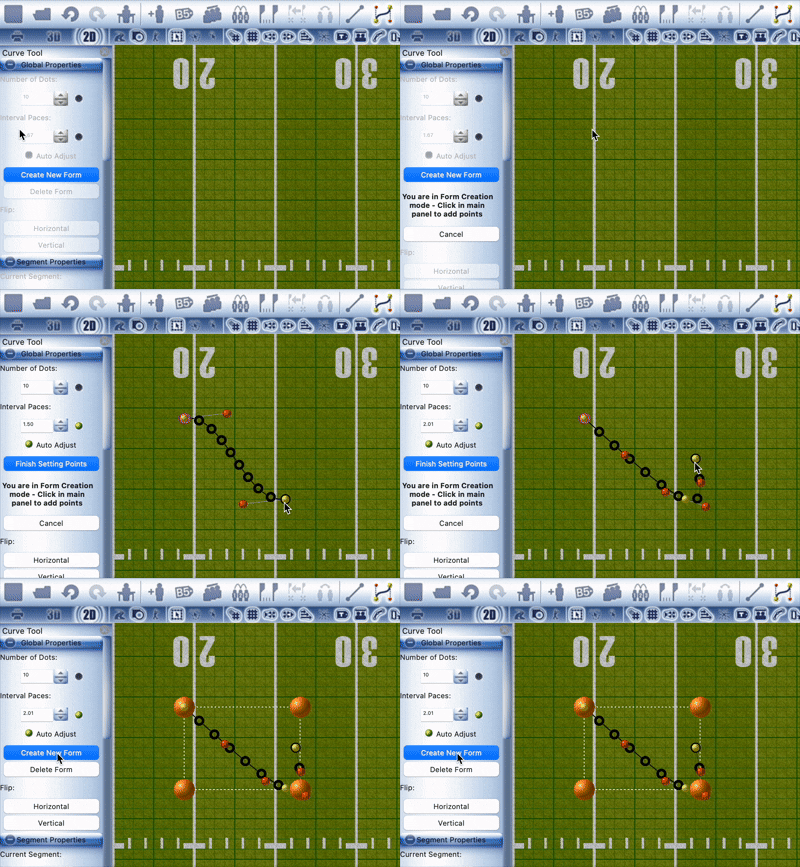
The Multi-Curve Tool has received significant attention in this update 🎯. The New Form button is now enabled in the multi-curve tool panel ➕, and we've improved the button labels and overall layout to provide better guidance during form creation. When creating new multi-curve forms, the form outline rectangle and associated marbles are now automatically hidden 🫥, reducing visual clutter and helping you focus on your design 🎨.
🔧 Enhanced Tool Experience
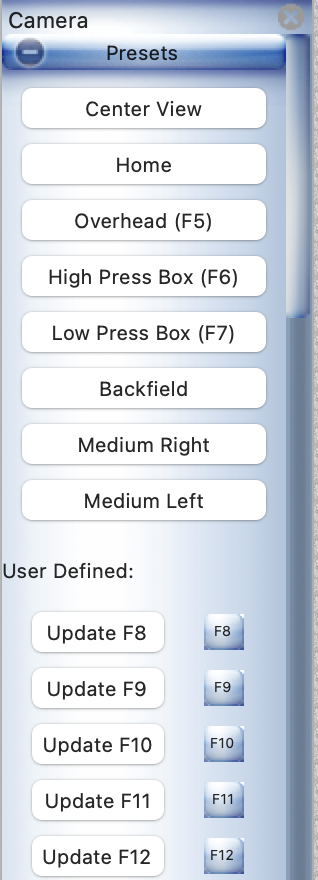
Several tools have been refined for better usability 🛠️. The Camera Tool 📷 has been redesigned with improved button spacing, and camera angles have been enhanced for a better viewing experience 👀.
Tooltips 💬 have been added to the ToolSwitchPerformer navigation buttons, making it clearer what each button does. The Performance Detail tool has been reorganized—the Equipment and Uniform section has been moved down ⬇️, and the Actions list height has been reduced, creating a more balanced interface ⚖️.
💡 General Interface Updates
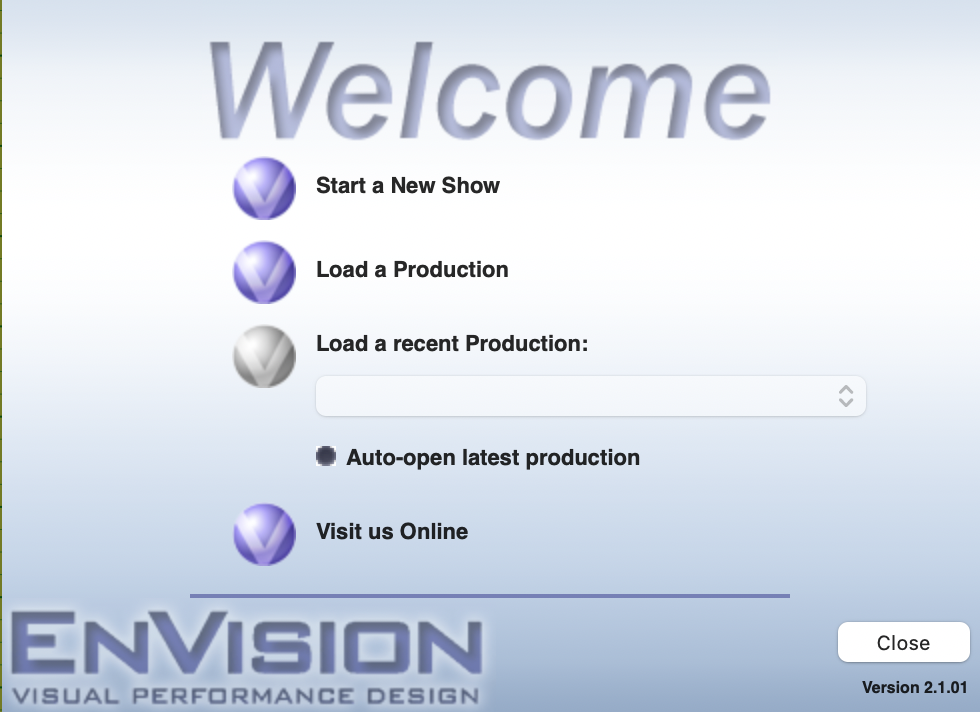
New Version Updates notes now render as HTML 📝, providing better formatting and readability 📖. The Startup Wizard 🧙 has been updated to display a list of recent productions, making it easier to continue working on existing projects. In print mode, you'll now see helpful informational messages 💡 when no performers are on a Subset, preventing confusion and guiding your workflow.
🐛 Important Bug Fixes
📐 Forms Stability
Several issues with curve forms have been resolved ✅. Curve forms will now render consistently when initially loading a drill 📐, and the issue where creating a new curve would revert the number of dots has been fixed 🔧.
🔧 Tool Reliability
Multiple tool-related crashes and issues have been addressed 🛠️. The Dot Sheet Tool crash has been resolved ✅, and the Prop Tool's "Current Prop" selection now works correctly 🎭. Text boxes 📝 will now create properly on first open in the ToolPrintTxtCtrl. The 'Add Production' flow in Show Manager has been streamlined for a smoother experience 🚀.
⚙️ System-Wide Fixes
Several important system-level issues have been resolved ✅. The timeline ⏱️ now properly auto-scrolls when using hot keys to advance by a count. A crash when converting a subset with a set-specific Group to a set has been resolved 🔧. The Startup Wizard now properly prompts users to save changes 💾, and the 'From' Path rendering issue around subsets has been fixed 🛤️. Finally, the cancel button behaviour when closing has been corrected—pressing cancel ❌ will now properly prevent the software from closing.
🎯 Conclusion
EnVision v2.1.01 represents our continued commitment 💪 to improving your drill design experience. With enhanced keyboard shortcuts ⌨️, better file management 📁, refined tools 🔧, and numerous bug fixes 🐛, this update makes EnVision more powerful 💪 and reliable than ever. We encourage all users to update to take advantage of these improvements 🚀.
For questions or feedback about this release, please visit our support forums or contact our support team.